





Visualize Your
Body Goal
Upload a photo, set your goals, and let AI generate a video of what your body could look like. My first AI-powered mobile app — built to help people visualize what's possible before they achieve it.
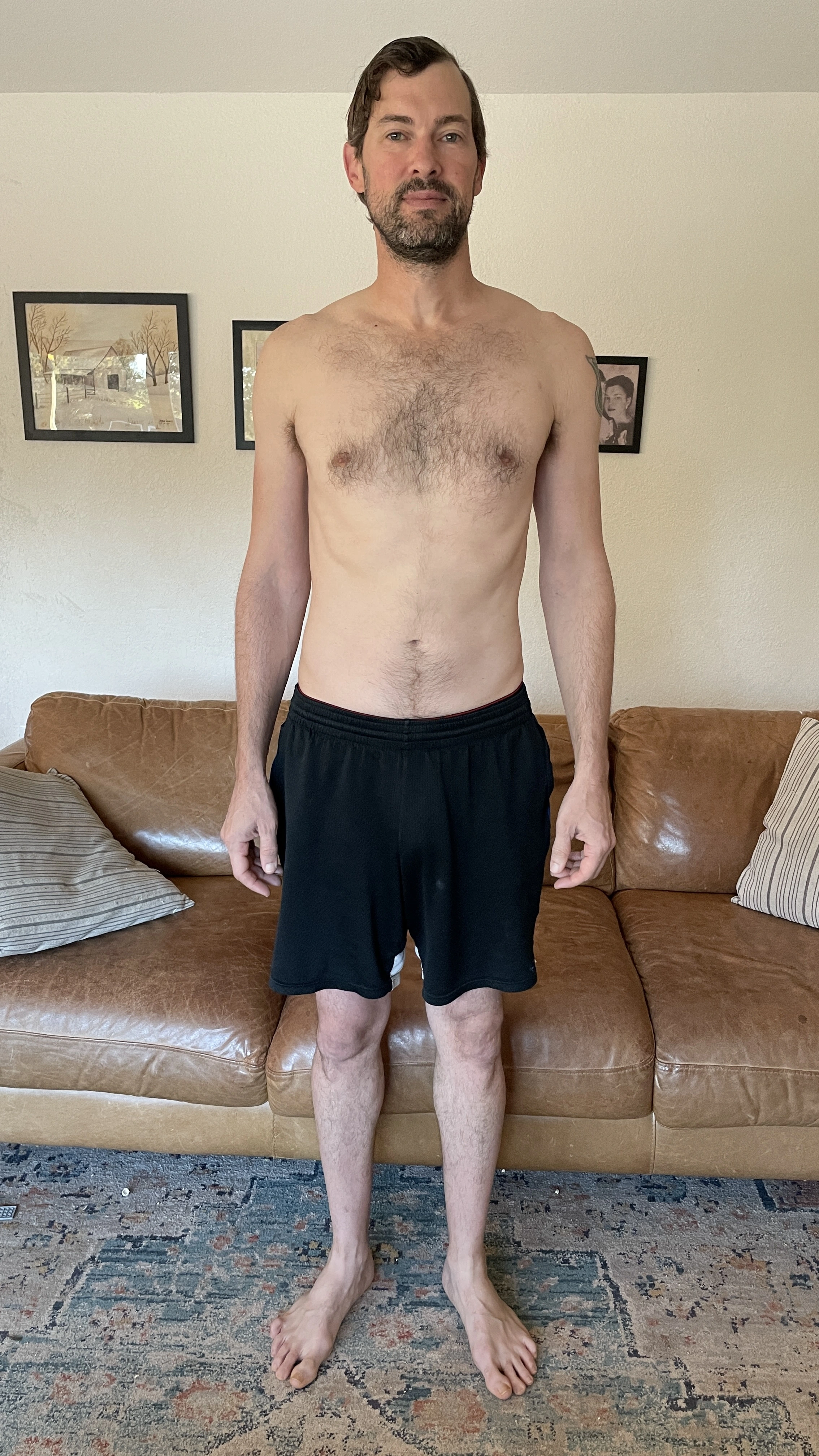
CURRENT
GOAL
The idea started with my wife
My wife is a health coach. She works with clients — a lot of them in their 40s and 50s — who haven't been in shape for so long that they genuinely can't imagine what it would feel like to be healthy again. They've lost the mental picture. And without that picture, it's hard to find the motivation to start.
When Google released Veo — their AI video generation model capable of producing remarkably realistic footage — something clicked. What if you could show someone a video of what their actual body could look like after a transformation? Not a stock photo of a model. Not an animation. A realistic AI-generated video using a photo of you.
That was the idea: a tool that helps people visualize what's possible, and gives health coaches something tangible to show clients when they're casting a vision for their future.
"So many people in their 40s and 50s — it's been so long since their body was in shape that they can't even imagine it."
This was also a personal milestone for me as a builder. I'd been trying to understand the pattern of using AI as the backend engine with a polished frontend wrapper. Body Goal AI is my first real attempt at that. You upload a photo, set some parameters, and the app handles all the heavy lifting — calling the AI model, managing the job queue, delivering the result. The user just experiences the magic.
I built the whole thing in December 2025.
Three steps. One transformation video.
The app is intentionally simple — the complexity lives in the AI pipeline, not the UI.
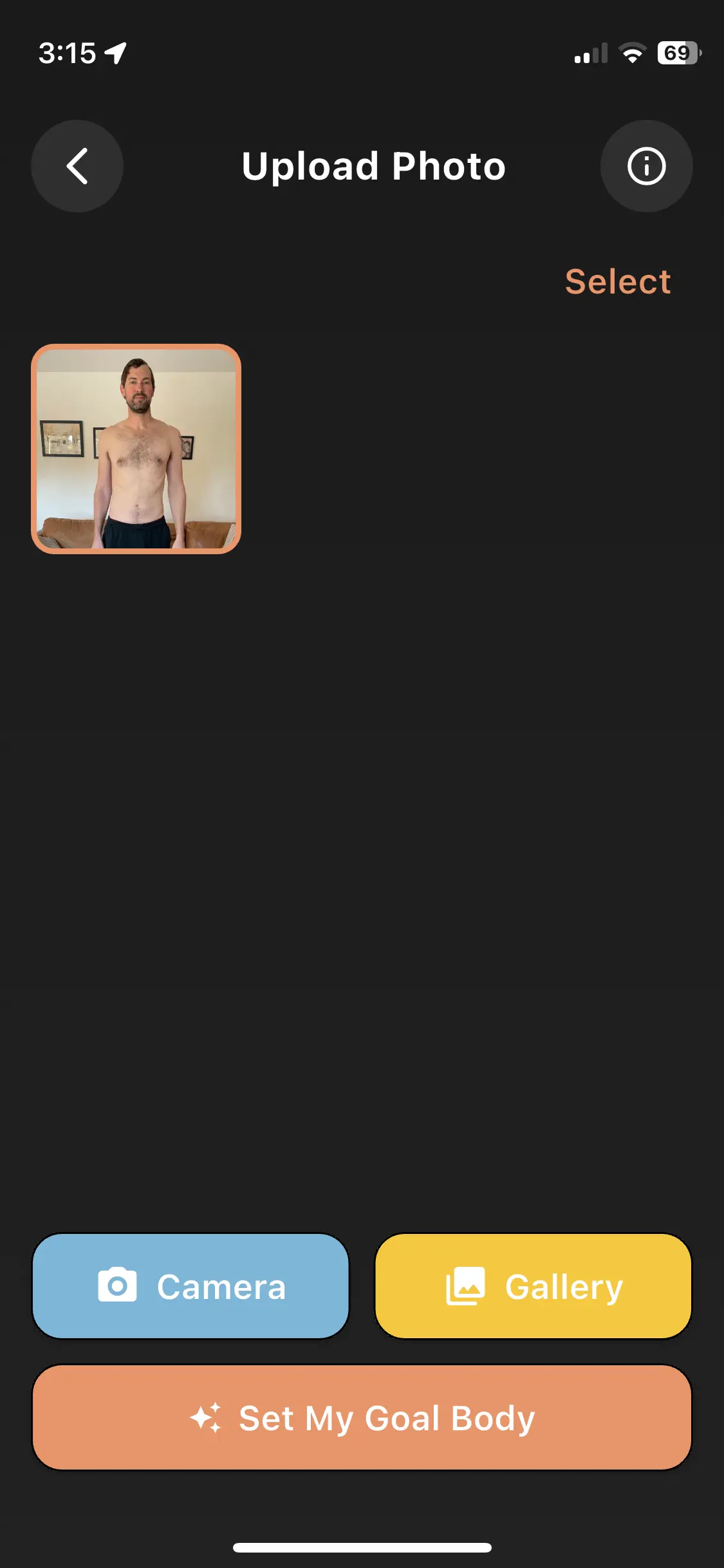
1. Upload a photo
Take a full-body photo or pull one from your camera roll. The AI uses this as its starting point.
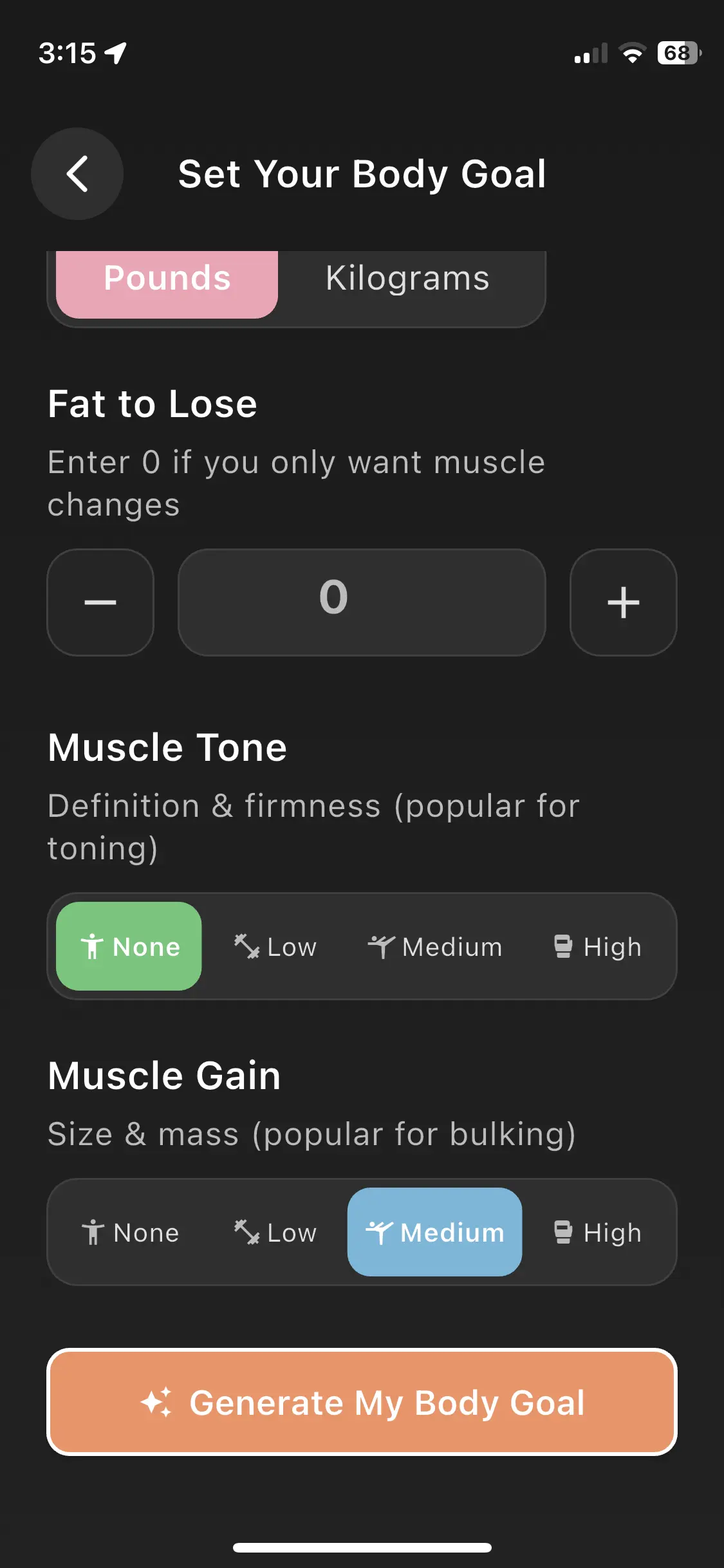
2. Set your goals
Dial in fat to lose, muscle tone, and muscle gain. These parameters directly shape the AI prompt sent to the model.
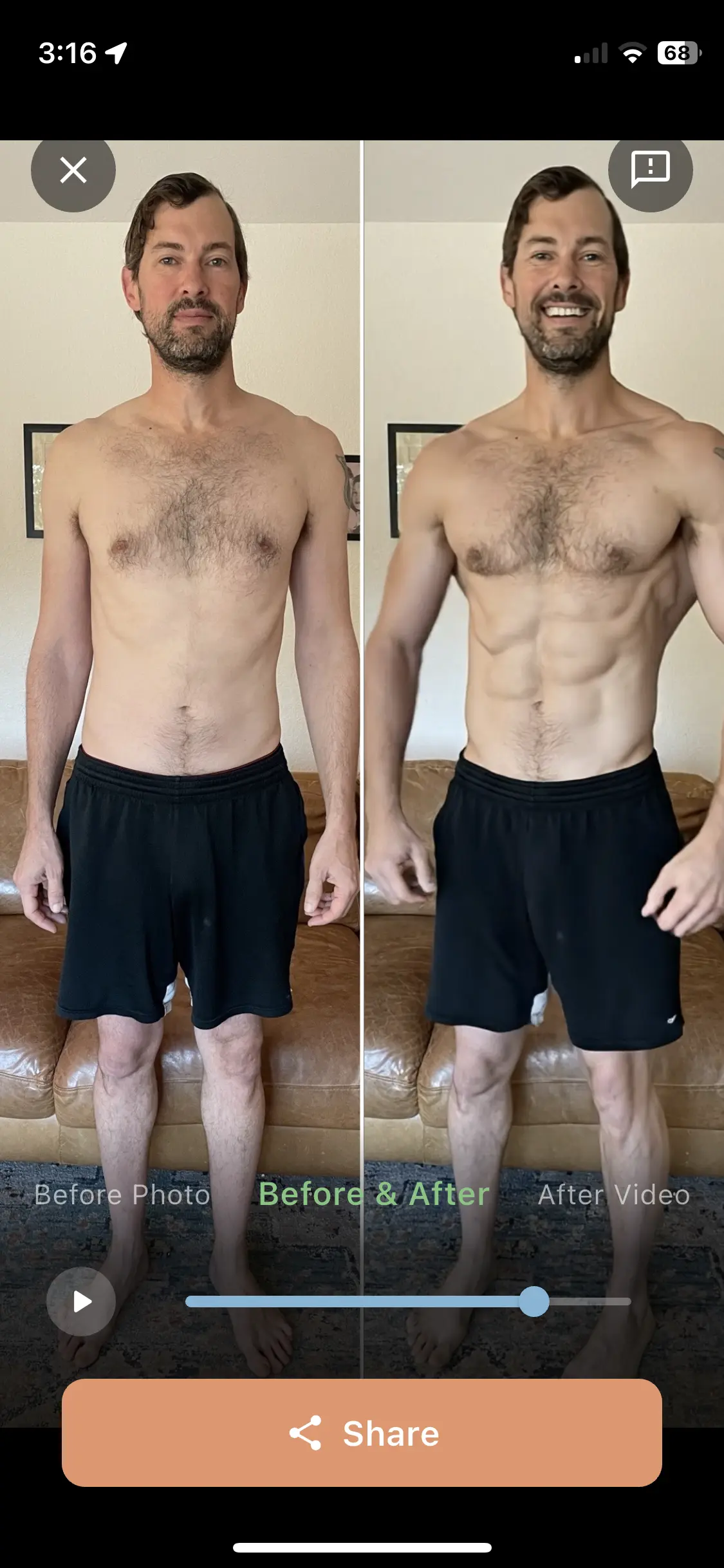
3. See the result
Get a side-by-side before & after video. Download it, share it with your trainer, or use it as daily motivation.
The stack
The architecture is deliberately simple: a polished Flutter frontend, a thin Node.js API layer on Vercel, and Google's Veo model doing the heavy lifting via fal.ai. Supabase handles auth, storage, and the job queue.
The secret sauce: prompt engineering
I genuinely didn't expect prompt engineering to be as hard as it was. The user inputs — fat to lose, muscle tone level, muscle gain level — all get translated into a precisely worded text prompt that instructs Veo exactly what transformation to generate. Too vague and the results are inconsistent. Too rigid and the AI fights back.
It's trial and error. Run a prompt, study the output, add a guardrail, run it again. Repeat. That iterative process — figuring out exactly how to talk to an AI model to get a reliable, repeatable result — ended up being one of the most interesting parts of the build. And it's the part that's hardest to copy. The prompt layer is the real product.
See it in action
A full walkthrough from photo upload to transformation result.
What was hard
Getting through Apple review
The hardest operational challenge was navigating the App Store submission process. Getting approved takes iteration, patience, and figuring out exactly what Apple wants to see — both in the app itself and in how you describe it. It's a non-trivial barrier even for a working, polished app.
Prompt engineering is an art
I vastly underestimated how much work goes into crafting a reliable AI prompt. A user sets a few sliders, and behind the scenes that gets translated into a precisely worded instruction to the model. Getting that translation right — so results are consistent across different body types, photos, and goal combinations — took more iteration than any other part of the codebase. There really is an art to it. Even though many people could go directly to an AI to get outputs, they don't know how to ask the right questions. That's where the value lives.
The cost problem: $0.30–$0.50 per video
Every 8-second AI video costs real money — somewhere between $0.30 and $0.50 per generation via the Veo API. That makes the classic "free trial" model genuinely expensive. If too many people explore the free tier, it eats through your API credits fast. Building an app like this requires accepting that you'll burn money upfront to acquire users, and betting on making it back over time through credits, subscriptions, or other monetization.
"It definitely takes some cash to launch an app like this. You're going to burn through money to get people in, and make it back over a longer time horizon."
The plan going forward
The app is free to download. Generating transformation videos costs credits, which users purchase via in-app purchase. The first video serves as a demo — enough to show the magic, get someone hooked, and convert them into a paying user.
The most promising first market is health coaches. They have a clear business reason to pay for tools that help them land or retain clients — showing a prospective client a personalized vision of what their body could look like is a powerful sales tool. Direct-to-consumer is the bigger long-term market, but coaches are the right beachhead.
Longer term, there's a natural ecosystem play: affiliate links to health products, connections between users and coaches, in-app content. But right now the focus is getting through the Apple approval process and landing the first real users.
Current status
- Working through Apple App Store approval
- iOS app complete and functional
- Android version planned
- Health coaches as first target market
Ready to meet the
New You?
Free to download. Credits required for video generation.